A powerful laptop can still throttle when gaming, rendering, or running demanding software for long sessions. The right cooling pad can improve airflow, support more consistent performance, and make a hot keyboard deck more comfortable to use.
This roundup focuses on turbo-fan laptop coolers with sealed or ring-style foam chambers, adjustable stands, RGB options, and compatibility across popular gaming-laptop sizes. Compare the key differences below before choosing the best match for your hardware and workspace.
Best 10 Laptop Cooling Pad with Sealed Foam Chamber Picks for 2026
Best Overall Sealed-Chamber Cooling

- 5.5-inch turbofan with magnetic sealed foam
- Supports 14.1- to 19.3-inch laptops
- RGB lighting, dust filter, and three-port USB hub
Best For: Large gaming laptops needing powerful airflow
Best Smart-Controlled Cooling

- Automatic fan modes through Myth.cool software
- 5.5-inch fan with memory-foam edge seal
- 36W adapter, dust filter, and three-port USB hub
Best For: Large gaming laptops and hands-off temperature control
Best Adjustable Mid-Size Option
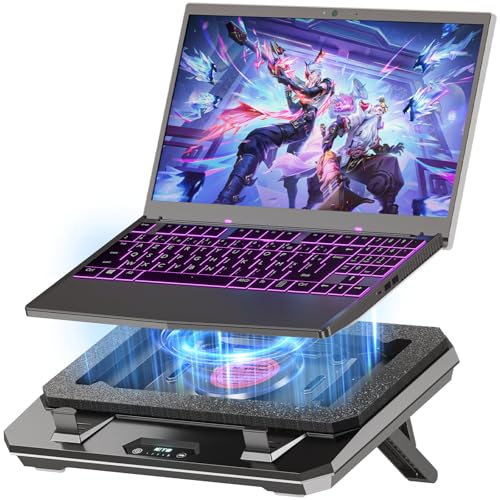
- 4,000 RPM turbofan with concentrator nozzle
- Fits 10- to 17-inch gaming laptops
- Five speeds, adjustable stand, and replaceable filter
Best For: Mid-size gaming laptops needing flexible cooling
Best Long-Warranty Pick
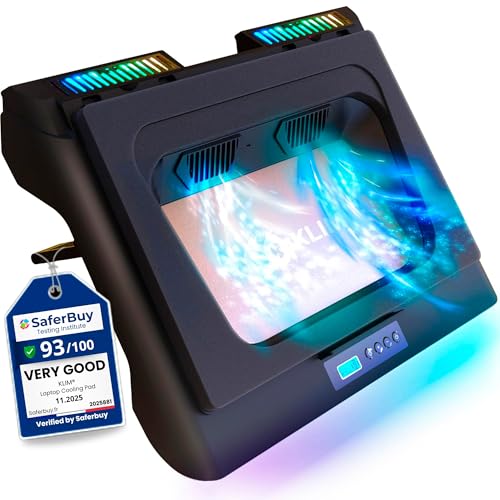
- Dual 4,300 RPM turbo fans
- Detachable foam seal and six fan speeds
- Five-year assurance with RGB lighting
Best For: Ventilated laptops and buyers seeking long coverage
Turbo-Fan Choice
KLIM Mistral Laptop Cooling Pad

- Dual 4,500 RPM turbo fans
- Rubber ring seal concentrates airflow
- Three speeds and five-year warranty
Best For: Performance-focused users who can tolerate fan noise
Versatile Mid-Size Pick
llano V10 Gaming Laptop Cooling Pad

- Supports laptops from 13 to 17.3 inches
- 4.72-inch fan reaches up to 3,500 RPM
- Physical controls and removable dust filter
Best For: Mixed-size laptop setups and everyday gaming
Performance Pick
IETS GT500 Turbo-Fan Cooling Pad

- 4200 RPM variable-speed turbofan
- Sealed foam supports focused airflow
- Noise reaches 55 dB at full speed
Best For: High-performance gaming and demanding cooling needs
Quiet Versatility Pick
DeskLogics Sealed Airflow Cooling Stand

- Fits 12- to 19-inch laptops
- Removable foam seal supports multiple laptop types
- Fan operates as low as 35 dBA
Best For: Mixed laptop households and ergonomic desk setups
Feature-Rich Pick
MEMO FL08 Compressed-Air Cooler
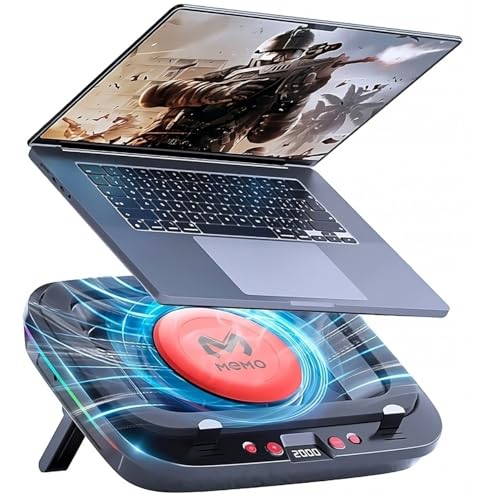
- Airtight chamber with 2420 RPM turbofan
- HD LCD and seven fan-speed settings
- Washable filter and seven height levels
Best For: Gamers wanting controls, maintenance convenience, and adjustability
Best Overall Sealed-Chamber Cooling – IETS GT600V2 RGB
The IETS GT600V2 is a high-performance laptop cooling pad with sealed foam chamber support for large gaming laptops. Its 5.5-inch turbofan, magnetic sealing foam, adjustable stand, dust filter, and USB hub make it a feature-rich choice when maximum airflow matters.
Best For: Large gaming laptops and users prioritizing aggressive cooling, RGB lighting, and connectivity.
Pros:
- 5.5-inch industrial-grade turbofan delivers strong airflow pressure.
- Magnetic sealed foam helps lock in airflow around the laptop.
- Designed to avoid heat backflow on rear-exhaust gaming laptops.
- Includes RGB lighting, a three-port USB hub, dust filter, and seven height settings.
Cons:
- Maximum-speed operation can reach 65 dB, so it may be loud.
- Its 2.9-pound metal construction is less portable than simpler cooling pads.
- Designed for larger laptops measuring 14.1 to 19.3 inches.
The GT600V2 is a strong match for demanding gaming setups that can accommodate its size and noise. Its sealed foam design and rear-exhaust-friendly intake make it particularly compelling for high-heat laptops.
Best Smart-Controlled Cooling – llano V12 Ultra
The llano V12 Ultra is a laptop cooling pad with sealed foam chamber airflow and software-based temperature control. Its 5.5-inch turbo fan, memory-foam edge seal, dedicated 36W adapter, and adjustable stand are aimed at large, high-performance gaming laptops.
Best For: Users who want automatic fan adjustment, substantial cooling, and USB connectivity for 15.6- to 19-inch gaming laptops.
Pros:
- Myth.cool software offers low, medium, and high automatic cooling modes.
- 5.5-inch fan reaches up to 2,800 RPM and uses a memory-foam edge seal.
- Dedicated 36W power adapter supports full-speed operation without draining the laptop.
- Includes three adjustable heights, a removable dust filter, RGB lighting, and a three-port USB 3.0 hub.
Cons:
- Compatibility is focused on larger 15.6- to 19-inch laptops.
- At 4 pounds, it is relatively heavy for transport.
- Software control requires downloading the latest version from the manufacturer.
This is a practical choice when automatic control is more important than portability. The sealed memory-foam edge and dedicated power supply give it a focused, performance-oriented design for extended gaming sessions.
Best Adjustable Mid-Size Option – IETS GT300B1
The IETS GT300B1 combines a sealed foam chamber concept with a concentrator nozzle and 4,000 RPM turbofan. It is sized for 10- to 17-inch gaming laptops and adds adjustable height, replaceable air filtration, five speed settings, and expanded USB connectivity.
Best For: Gamers seeking strong sealed-airflow cooling in a more compact, adjustable stand for 10- to 17-inch laptops.
Pros:
- Combines a 4,000 RPM turbofan, concentrator nozzle, and sealed foam ring.
- Five wind-speed settings accommodate high-load gaming or quieter office use.
- Replaceable filter cotton helps limit dust entering the laptop.
- Offers adjustable stand height, backlit keys, power-off memory, and a one-in/three-out USB layout.
Cons:
- Its plastic enclosure may feel less substantial than metal alternatives.
- Filter cotton should be replaced every two to six months for best performance.
- It lacks the larger laptop range of some premium models.
The GT300B1 is a versatile middle-ground option for users who want sealed airflow and useful adjustments without choosing a cooler built exclusively for very large laptops. Ongoing filter replacement is part of its maintenance routine.
Best Long-Warranty Pick – KLIM Everest
The KLIM Everest is a laptop cooling pad with a sealed foam design and two 4,300 RPM turbo fans. It supports a broad range of laptop sizes, adds six fan speeds and RGB lighting, and includes a five-year assurance for buyers who value long-term coverage.
Best For: Users wanting dual-fan cooling, broad laptop-size support, RGB controls, and an extended warranty.
Pros:
- Two high-powered 4,300 RPM turbo fans provide strong airflow.
- Detachable foam helps create a seal and increase air pressure.
- Supports laptops from 11 through 17.3 inches, subject to underside ventilation.
- Includes six fan speeds, RGB effects, an extra USB port, and five-year assurance.
Cons:
- It should not be used with laptops lacking underside ventilation, including the cited MacBook examples.
- The foam enclosure and 1.13 kg weight make it less compact than basic pads.
- Its cooling system may be more than needed for light office workloads.
The Everest stands out for combining dual turbo fans with a detachable seal and unusually long warranty coverage. Confirm that your laptop has bottom ventilation before choosing it.
High-Output Pick – llano V12 Gaming Laptop Cooling Pad
If you need a laptop cooling pad with sealed foam chamber for a large gaming laptop, the llano V12 combines an airtight pressure chamber with a 5.5-inch turbo fan. It is built for 15.6- to 19-inch systems and adds adjustable airflow, dust filtration, RGB lighting, and a three-port USB hub.
Best For: Large gaming laptops, demanding rendering, and users who want strong cooling with adjustable controls.
Pros:
- Sealed foam chamber and 5.5-inch turbo fan are designed for high-output cooling.
- Adjustable airflow, three tilt angles, and a removable dust filter add practical flexibility.
- Three USB 2.0 ports provide connectivity for peripherals, while RGB lighting offers 10 modes.
Cons:
- Its 1.8 kg weight and large footprint make it less portable.
- Noise can reach 70 dB during operation.
- The USB ports are for peripherals, not charging devices.
The V12 is the most suitable option here for oversized laptops and sustained heavy workloads. Choose it when maximum airflow, filtration, and workstation-style features matter more than portability.
Turbo-Fan Choice – KLIM Mistral Laptop Cooling Pad
The KLIM Mistral is a laptop cooling pad with sealed foam chamber design elements, using a rubber ring seal to concentrate airflow beneath compatible laptops. Its two 4,500 RPM turbo fans offer three speed levels, making it a strong option for users who prioritize rapid cooling and do not mind fan noise.
Best For: 14- to 17-inch laptops with underside ventilation, especially gaming systems under heavy load.
Pros:
- Two high-powered 4,500 RPM turbo fans push substantial airflow.
- Rubber ring seal helps create higher pressure beneath the laptop.
- Three fan speeds, RGB controls, an extra USB port, and a five-year warranty add convenience.
Cons:
- It is notably noisy at maximum power.
- Compatibility is limited to laptops from 14 to 17 inches.
- It requires ventilation grills on the laptop underside and is not recommended for models without them.
The Mistral is a focused cooling solution for compatible laptops that need aggressive airflow. It is less appealing for quiet workspaces, but its turbo fans, seal, and long warranty make it compelling for performance-focused users.
Versatile Mid-Size Pick – llano V10 Gaming Laptop Cooling Pad
The llano V10 is a versatile alternative for shoppers seeking a laptop cooling pad with sealed foam chamber-style airflow support without moving to the larger V12. Its 4.72-inch turbo fan, extra foam inserts, and flat-contact surface accommodate laptops from 13 to 17.3 inches.
Best For: Gamers and creators using 13- to 17.3-inch laptops who want adjustable cooling, RGB, and accessory connectivity.
Pros:
- Turbo fan reaches up to 3,500 RPM and is designed to reduce temperatures by up to 38°C.
- Extra foam inserts help smaller 13- to 14-inch laptops sit securely.
- Physical controls, three stand levels, a removable dust filter, and USB-A/USB-C connectivity improve usability.
Cons:
- It has lower stated cooling capacity than the larger V12.
- The product carries a one-year warranty.
- Users with laptops larger than 17.3 inches may need the V12 instead.
The V10 offers the broadest laptop-size compatibility in this group while retaining gaming-focused controls and lighting. It is a balanced choice for everyday gaming, streaming, and editing where fit and convenience are as important as peak airflow.
Performance Pick – IETS GT500 Turbo-Fan Cooling Pad
If you need a laptop cooling pad with sealed foam chamber for demanding gaming sessions, the IETS GT500 emphasizes high airflow and a close seal around the laptop base. Its 0–4200 RPM variable-speed turbofan is designed to deliver strong, adjustable cooling across compatible 13- to 17.3-inch laptops.
Best For: Gamers and performance-focused users who prioritize maximum cooling power over low noise.
Pros:
- 4200 RPM industrial-grade turbofan with infinitely variable speed control
- Sealed foam helps provide more consistent cooling regardless of laptop vent placement
- Bottom air intake design is intended to reduce heat backflow on rear-exhaust gaming laptops
- Dust filter helps protect the laptop from incoming debris
Cons:
- Noise can reach 55 dB at maximum speed
- Designed for laptops up to 17.3 inches, limiting compatibility with larger models
The GT500 is a performance-first choice for users willing to accept fan noise in exchange for powerful cooling. Its adjustable speed and adaptable sealed foam make it especially useful for gaming laptops with demanding thermal loads.
Quiet Versatility Pick – DeskLogics Sealed Airflow Cooling Stand
This laptop cooling pad with sealed foam chamber combines active cooling with the flexibility of an adjustable laptop stand. Keep the memory-foam seal in place to direct air into gaming laptop intakes, or remove it to use the pad as an active heat sink for MacBooks and metal ultrabooks.
Best For: Users who want one adjustable stand for gaming laptops, MacBooks, and quieter everyday work.
Pros:
- Supports laptops from 12 to 19 inches
- Sealed-foam and open modes accommodate different laptop designs
- Fan speed ranges from 800 to 2600 RPM, with operation as low as 35 dBA
- Includes adjustable angles, RGB modes, a washable dust filter, and USB output ports
Cons:
- Wall adapter is not included
- Full turbo power requires a USB 3.0 port or 5V/1A wall charger
- At 3.9 pounds, it is less portable than a slim basic cooling pad
The DeskLogics model is the most adaptable option in this group. Its removable seal makes it suitable for both bottom-intake gaming laptops and chassis-cooling ultrabooks, while the stand adjustments add ergonomic value.
Feature-Rich Pick – MEMO FL08 Compressed-Air Cooler
The MEMO FL08 is a laptop cooling pad with sealed foam chamber built around an airtight pressure chamber and a 2420 RPM turbofan. It adds practical controls and maintenance features, including an HD LCD display, seven fan-speed settings, and a detachable washable dust filter.
Best For: Gamers who want sealed cooling, on-device controls, and an adjustable stand for 14- to 18-inch laptops.
Pros:
- Airtight pressure chamber and 2420 RPM turbofan are designed for strong cooling
- HD LCD screen provides cooling-control and performance-monitoring information
- Detachable, washable dust filter supports easier maintenance
- Seven height adjustments and RGB lighting add flexibility and gaming appeal
Cons:
- Compatibility is limited to 14- to 18-inch laptops
- Its single fan runs at a lower maximum speed than the GT500
Choose the FL08 if you value visible controls and adjustability as much as cooling. It offers a balanced feature set for gaming setups, though users with smaller laptops or a need for extreme fan speed may prefer another model.
How We Picked the Best Laptop Cooling Pad with Sealed Foam Chamber
We selected these 10 models based on the features that matter most for sustained laptop cooling: fan power, sealing design, stated compatibility, adjustability, control options, and practical usability. Models with turbo fans and foam chambers can direct more air toward the laptop’s intake vents than open desktop-style pads, but fit and vent placement still determine real-world results.
We also considered useful extras such as variable speed control, software management, RGB lighting, dust protection, height adjustment, and rubberized contact surfaces. Product specifications can vary by seller and revision, so verify the listed dimensions and supported laptop size before ordering.
Quick Comparison
| What to compare | Best for | What to check |
|---|---|---|
| Large turbo fan and sealed chamber | High-performance gaming laptops | Chassis size, intake location, and noise tolerance |
| Adjustable fan speed | Balancing cooling and acoustics | Whether control is physical, remote, or software-based |
| Software control | Customized profiles and monitoring | Operating-system compatibility and background software |
| Adjustable stand | Better posture and desk setups | Height range, stability, and hinge strength |
| RGB lighting | Coordinated gaming setups | Lighting controls and whether RGB can be disabled |
Key Buying Factors for a Laptop Cooling Pad with Sealed Foam Chamber
Fit and Airflow Alignment
Start with laptop dimensions, not just screen size. A 16-inch laptop may have a different footprint from another 16-inch model, and rear or bottom intake vents may not align with the cooler’s central airflow zone. A foam seal works best when it forms a reasonably tight contact around the laptop’s underside.
Fan Power Versus Noise
Higher RPM and larger turbo fans can move substantial air, which is useful for gaming and workstation loads. They can also produce noticeable noise at maximum speed. Look for infinitely variable control or multiple speed settings if you use the pad for video calls, office work, or quiet rooms.
Sealing, Dust, and Maintenance
A sealed foam chamber can concentrate airflow, but the foam should sit evenly against the laptop without blocking its vents. Check whether the design includes a removable or accessible filter, and clean the intake regularly. Dust buildup can reduce performance and increase fan noise.
Stand Stability and Ergonomics
Choose a sturdy adjustable stand if you type on the built-in keyboard or frequently reposition the screen. Confirm that the front lip and rubber grips secure your laptop without covering ports or making the device difficult to remove.
Controls and Extras
Physical controls are generally simple and reliable, while software control may offer profiles and finer adjustments. RGB lighting is mostly aesthetic, so treat it as a deciding factor only after cooling, fit, stability, and noise are covered.
Who Should Buy Which Laptop Cooling Pad with Sealed Foam Chamber?
Choose a large IETS or llano turbo-fan model if you have a powerful 17- to 19-inch gaming laptop and want aggressive cooling for extended loads. A mid-size adjustable model is a better match for 14- to 16-inch systems or users who prioritize desk ergonomics. Choose software-controlled cooling when you want custom fan profiles, and select a quieter variable-speed design for mixed work and gaming. If appearance matters, RGB models can complement a gaming setup, but confirm that the lighting can be reduced or switched off. For any Laptop Cooling Pad with Sealed Foam Chamber, the safest final check is simple: compare the pad’s supported dimensions and sealing area with your laptop’s actual footprint and bottom-vent layout.