Wireless drawing tablets make it easier to sketch, edit, and take notes without a cable getting in the way. They are especially useful for artists who want a cleaner desk, students who move between classes, and creators who work across multiple devices.
In this roundup, we focus on Bluetooth-ready tablets that balance pressure sensitivity, shortcut controls, pen responsiveness, and portability so you can choose the right model for your workflow.
Best 10 Wireless Drawing Tablets Picks for 2026
Wireless Freedom for All Platforms
XPPen Deco LW 10x6 Bluetooth Tablet
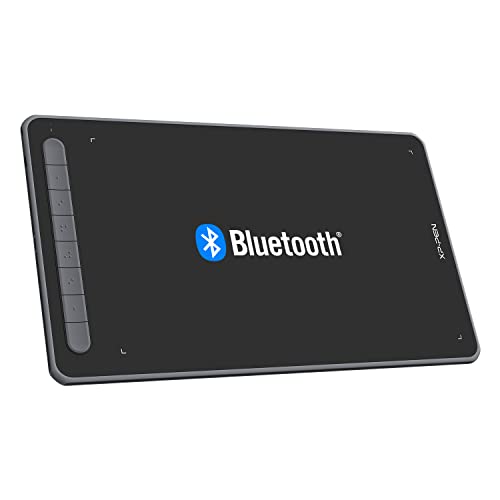
- Bluetooth 5.0 with wired and receiver options
- 10x6-inch area for comfortable sketching
- Battery-free X3 stylus with 8192 pressure levels
Best For: artists and students who want a roomy, cross-platform wireless tablet
Dial Controls for Faster Workflow
HUION Inspiroy Dial 2 V2 Bluetooth Tablet

- Bluetooth 5.0 with up to 16 hours of battery life
- Dual dials and 6 quiet shortcut keys
- 16,384-pressure PW600 stylus with paper-like feel
Best For: artists who want wireless convenience and dial-based workflow controls
Beginner-Friendly Large Workspace
XPPen Deco 01 V3 10x6 Drawing Tablet

- Large 10 x 6.25-inch active area
- Battery-free stylus with 16,384 pressure levels
- 8 shortcut keys and broad device compatibility
Best For: beginners and students wanting a spacious pen tablet
Portable Dial Tablet with Long Battery
GAOMON WH851 Bluetooth Drawing Tablet

- Bluetooth 5.0 plus USB-C wired support
- 18-hour battery and center dial control
- 16,384 pressure levels with tilt support
Best For: students and mobile creators who want portable wireless control
Compact Starter Pick
XP-Pen StarG640 6x4 Digital Tablet

- Battery-free stylus with no charging needed
- Slim 2 mm body for easy portability
- Good for drawing, teaching, and signatures
Best For: Students and beginners who need a compact, portable pen tablet
Wireless All-Rounder
Wacom Intuos Medium Bluetooth Tablet

- Bluetooth or USB-A connectivity options
- Battery-free pen with included software
- Useful for drawing, editing, and markups
Best For: Creators and students who want a dependable wireless tablet with extras
Feature-Rich Wireless Pick
XP-Pen Deco MW 8x5 Bluetooth Tablet

- Bluetooth 5.0 with cable-free use
- 8 shortcut keys for faster workflow
- 8192-level X3 stylus with tilt support
Best For: Artists and multitaskers who want wireless control and broad compatibility
Portable Bluetooth Starter
Wacom Intuos Small Bluetooth Drawing Tablet

- Bluetooth or USB-A connection
- Battery-free pen with 4,096 levels
- Includes software and training
Best For: Students and creators who want a compact wireless tablet
High-Precision Wireless Pick
XP-Pen Deco mini7W V2 Wireless Drawing Tablet
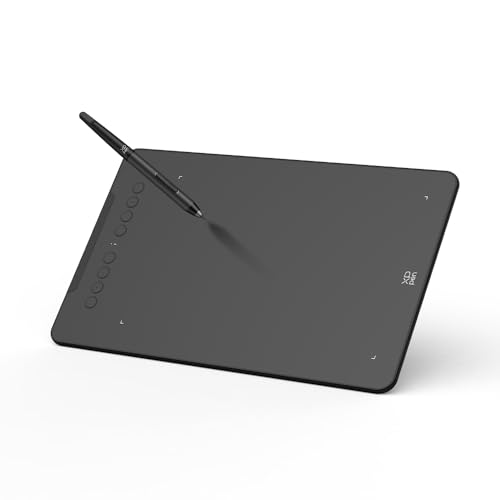
- Bluetooth 5.0 with up to 13 hours battery
- 16384 pressure levels and 60° tilt
- 8 shortcut keys and broad OS support
Best For: Artists and students who want higher pressure sensitivity
Budget Bluetooth Workhorse
XP-Pen Deco mini7W Wireless Drawing Tablet
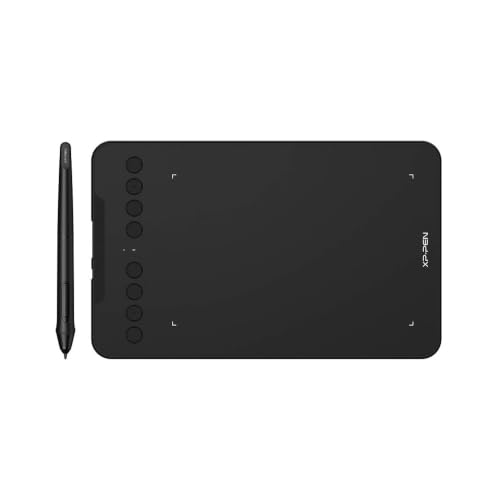
- Bluetooth 5.0 plus wired USB options
- Battery-free pen with 16384 levels
- 8 shortcut keys and broad compatibility
Best For: Teachers and beginners needing a flexible compact tablet
Wireless Freedom for All Platforms – XPPen Deco LW 10×6 Bluetooth Tablet
If you want wireless drawing tablets that still work like a dependable wired setup, the XPPen Deco LW is built for that balance. Its Bluetooth 5.0 connection, 10×6-inch active area, and battery-free X3 stylus make it a practical pick for artists who want a roomy, portable board for everyday sketching, design, and online education.
Best For: Artists, students, and creators who want a large, cross-platform wireless tablet with a battery-free pen.
Pros:
- Bluetooth 5.0 plus wired/receiver connection for flexible setup options.
- 10×6-inch drawing area gives comfortable space for sketching and design work.
- X3 stylus offers 8,192 pressure levels and 60° tilt support.
- Wide compatibility with Windows, Mac, Linux, Chrome OS, and Android.
Cons:
- Uses a graphics tablet format, so there’s no built-in display.
- Accessory bundle includes software offers, but the notes don’t confirm long-term software updates.
Overall, this is a straightforward wireless drawing tablet for users who want portability without giving up a large workspace or broad device support. The shortcut customization and battery-free pen make it easy to build an efficient routine.
Dial Controls for Faster Workflow – HUION Inspiroy Dial 2 V2 Bluetooth Tablet
The HUION Inspiroy Dial 2 V2 stands out among wireless drawing tablets if you care about hands-on control while you work. It pairs Bluetooth 5.0 with dual dials, quiet shortcut keys, and the PW600 battery-free stylus, giving illustrators and animators a flexible tablet for both home and on-the-go use.
Best For: Artists who want wireless convenience plus dial-based controls for faster zooming, brushing, and scrolling.
Pros:
- Bluetooth 5.0 wireless support with up to 16 hours of battery life.
- Dual independent dials and 6 customizable shortcut keys speed up workflow.
- PW600 pen offers 16,384 pressure levels and low 2g initial activation force.
- Matte surface and felt nibs aim for a more paper-like drawing feel.
Cons:
- Bluetooth support is limited by OS and connection type, especially for Linux.
- It is a pen tablet, so there’s no screen for direct drawing on the display.
If you want more tactile control than a basic tablet can offer, this model is easy to recommend. The dials and quiet keys are especially useful in shared spaces, while the broad compatibility helps it fit into mixed-device setups.
Beginner-Friendly Large Workspace – XPPen Deco 01 V3 10×6 Drawing Tablet
For shoppers comparing wireless drawing tablets, the XPPen Deco 01 V3 is more about simplicity, space, and ease of setup than cable-free use. It gives beginners a large 10 x 6.25-inch area, an 8,192-pressure battery-free stylus, and broad device support, making it a practical entry point for digital art and note-taking.
Best For: Beginners and students who want a spacious, easy-to-use drawing tablet with a battery-free pen.
Pros:
- Large 10 x 6.25-inch drawing area for comfortable sketching.
- Battery-free stylus with 16,384 pressure levels and 60-degree tilt support.
- 8 customizable shortcuts help both right- and left-handed users.
- Wide compatibility with Windows, Mac, Chrome OS, Linux, and Android 10+.
Cons:
- No wireless connection is listed in the supplied notes.
- Best suited to beginners, so power users may want more advanced controls.
This is a solid pick if you want a roomy pen tablet that keeps the learning curve low. The combination of a big active area, battery-free stylus, and Android support makes it flexible for casual creative work.
Portable Dial Tablet with Long Battery – GAOMON WH851 Bluetooth Drawing Tablet
The GAOMON WH851 fits well in a roundup of wireless drawing tablets for users who want a compact tablet with more control than the average entry-level model. With Bluetooth 5.0, an 18-hour battery, a center dial, and 16,384 pressure levels, it’s built for drawing, sketching, annotation, and e-signatures across multiple devices.
Best For: Students, teachers, and mobile creators who want a portable wireless tablet with dial controls.
Pros:
- Bluetooth 5.0 wireless support and USB Type-C wired connection.
- 16,384 pressure levels and tilt support for detailed line control.
- Center dial plus 8 customizable keys improve workflow efficiency.
- 18-hour battery life makes it suitable for long sessions away from a desk.
Cons:
- Smaller 8 x 5-inch active area than larger drawing tablets.
- Wired operating-system support is more limited than the overall compatibility list.
For people who value portability and quick controls, this tablet offers a well-rounded feature set. The battery-free pen, adjustable aspect ratio, and wireless option make it a useful everyday companion for light creative and productivity tasks.
Compact Starter Pick – XP-Pen StarG640 6×4 Digital Tablet
If you want wireless drawing tablets in the broad sense of a simple, portable pen tablet setup, the XP-Pen StarG640 is a practical entry-level option for drawing, note-taking, and remote work. Its battery-free stylus keeps the workflow uninterrupted, and the slim 2 mm body makes it easy to carry for classes, meetings, or sketching on the go.
Best For: Students, teachers, and beginners who want a compact tablet for drawing, e-learning, and everyday digital writing.
Pros:
- Battery-free PN01 stylus means no charging interruptions.
- Works for drawing, painting, sketching, signatures, and online teaching.
- Very slim 2 mm design makes it easy to travel with.
- Compatible with Windows, Mac, and Chromebook use cases.
Cons:
- USB connectivity only, so it is not a Bluetooth tablet.
- Small 6 x 4 inch active area may feel limited for larger canvases.
- Basic layout is better for utility than advanced creative workflows.
This is a strong no-frills tablet if your priority is reliable pen input over extra features. It is especially appealing for education, signatures, and lightweight creative tasks where portability matters more than size.
Wireless All-Rounder – Wacom Intuos Medium Bluetooth Tablet
Among wireless drawing tablets, the Wacom Intuos Medium stands out as a balanced pick for creators who want reliable performance and flexible connectivity. You can use it over Bluetooth or plug in by USB-A, and the battery-free pen plus included software make it a solid choice for drawing, photo editing, and document markup.
Best For: Students, teachers, and creators who want a medium-size tablet with wireless convenience and bundled software.
Pros:
- Bluetooth connectivity gives you cable-free use when you want it.
- Battery-free Wacom Pen 4K offers pen-on-paper feel.
- Includes software and online training with purchase.
- Works with many creative and productivity apps.
Cons:
- 4,096 pressure levels are lower than some competing tablets.
- Bluetooth is optional, so USB-A is still part of the setup.
- Medium size may still be more desk-friendly than ultra-portable.
If you want a dependable tablet from a long-established brand, this model has a lot going for it. It is especially attractive if you value wireless flexibility plus extras like software and training in the box.
Feature-Rich Wireless Pick – XP-Pen Deco MW 8×5 Bluetooth Tablet
If you are comparing wireless drawing tablets for a more feature-packed setup, the XP-Pen Deco MW offers Bluetooth 5.0, an 8 x 5 inch active area, and customizable shortcut keys. The battery-free X3 stylus adds 8,192 pressure levels and tilt support, making it a versatile option for digital art, online teaching, and work across multiple operating systems.
Best For: Artists and multitaskers who want a wireless tablet with shortcut keys, broad compatibility, and a larger active area.
Pros:
- Bluetooth 5.0 supports cable-free use and a cleaner workspace.
- 8 customizable shortcut keys help speed up workflow.
- X3 stylus provides 8,192 pressure levels and 60-degree tilt.
- Wide compatibility includes Windows, Mac, Chrome OS, Linux, and Android.
Cons:
- Wireless setup may require the included dongle and cable depending on device.
- More features can mean a slightly bigger learning curve for new users.
- It is still a pen tablet, not a display tablet.
This is the most feature-forward option in the group and a good fit if you want wireless flexibility without giving up shortcut controls. It makes sense for users who plan to switch between drawing, teaching, and general creative work.
Portable Bluetooth Starter – Wacom Intuos Small Bluetooth Drawing Tablet
If you want wireless drawing tablets with a compact footprint, the Wacom Intuos Small is a practical pick for everyday sketching, note-taking, and photo edits. It connects over Bluetooth or USB-A, uses a battery-free pen, and is built to work across creative software for a simple, low-fuss setup.
Best For: Students, teachers, and creators who want a small wireless tablet for drawing, annotating, and remote work.
Pros:
- Bluetooth and USB-A connectivity give you flexible wired or wireless use.
- Battery-free Wacom pen with 4,096 pressure levels for pen-on-paper control.
- 4 ExpressKeys help speed up shortcuts while working.
- Software and online training are included after registration.
Cons:
- Small active area may feel limiting for larger artwork.
- Pressure sensitivity is lower than some newer competing tablets.
- Best suited to non-screen tablet workflows rather than display-style drawing.
Overall, this Intuos is a straightforward wireless tablet for users who value reliability, portability, and Wacom’s mature pen tech. It makes the most sense if you want a compact creative tool for everyday tasks more than a feature-heavy pro rig.
High-Precision Wireless Pick – XP-Pen Deco mini7W V2 Wireless Drawing Tablet
The XP-Pen Deco mini7W V2 is a strong choice among wireless drawing tablets if you want higher pressure sensitivity and broad compatibility. It offers Bluetooth 5.0, a battery-free stylus, and an L-shaped USB-C connection, making it easy to switch between cable-free work and plugged-in sessions.
Best For: Artists and students who want a wireless drawing tablet with more pressure resolution and shortcut control.
Pros:
- Bluetooth 5.0 provides wireless freedom with up to 13 hours of battery life.
- 16384 levels of pressure and 60° tilt support help with fine line control and shading.
- 8 customizable shortcut keys improve workflow efficiency.
- Works with Windows, macOS, Android, ChromeOS, and Linux.
Cons:
- Battery life only applies to wireless use, so long sessions may still need a cable.
- Smaller 7 x 4.37-inch size may not suit artists who prefer a larger workspace.
- Mobile mapping features are more specialized than basic desktop setups.
This Deco mini7W V2 balances portability with strong pen performance, so it works well for drawing, editing, and note-taking. If you want a compact tablet with modern wireless features and solid app compatibility, it stands out as a versatile option.
Budget Bluetooth Workhorse – XP-Pen Deco mini7W Wireless Drawing Tablet
For wireless drawing tablets that cover teaching, sketching, and general creative work, the XP-Pen Deco mini7W focuses on practical features rather than extras. It includes Bluetooth 5.0, a battery-free pen with 16384 pressure levels, and wired connection options through USB-C adapters for flexible use.
Best For: Teachers, remote workers, and beginners who want a compact wireless tablet with strong compatibility.
Pros:
- Bluetooth 5.0 and USB options make it easy to use wirelessly or wired.
- Battery-free stylus supports 16384 pressure levels and tilt response.
- 8 customizable shortcut keys can speed up common tasks.
- Compatible with Windows, macOS, Android, Chrome OS, and Linux.
Cons:
- The product size is compact, so it may feel tight for large canvases.
- Wireless setup relies on the included dongle and adapters for some connections.
- Feature set is functional rather than premium.
This model is a sensible pick if you want a wireless tablet that stays versatile across devices and use cases. It is especially appealing when you need shortcut support, broad compatibility, and a simple pen-tablet workflow.
How We Picked These Wireless Drawing Tablets
We looked for tablets that combine reliable wireless connectivity, comfortable pen performance, and practical drawing-area sizes. We also favored models with battery-free pens, good shortcut layouts, and broad compatibility with common operating systems and creative apps.
Quick Comparison
As a general rule, larger tablets are better for detailed illustration and photo work, while smaller tablets are easier to carry and fit into tight workspaces. Bluetooth models are best for a cleaner setup, but some users may prefer a wired connection for maximum simplicity or to avoid charging concerns.
Key Buying Factors for Wireless Drawing Tablets
Size and Active Area
A bigger drawing surface usually feels more natural for long strokes and detailed work. Smaller tablets are more travel-friendly and can be a smart pick for beginners, note-takers, and casual digital art.
Pen Technology and Pressure Levels
Look for a battery-free stylus with strong pressure sensitivity and low pen latency. Higher pressure levels can help with line variation, though real-world feel matters more than the number alone.
Shortcut Controls and Workflow
Express keys, dials, and touch controls can speed up zooming, undo, brush changes, and navigation. If you work in a single app all day, these controls can make a noticeable difference.
Wireless Stability and Compatibility
Bluetooth should be stable enough for your workflow, but compatibility with your computer, tablet, and software is just as important. Check that the model supports your OS and the apps you use most.
Who Should Buy Which Wireless Drawing Tablets?
Choose a larger, feature-rich model if you want a more comfortable studio setup and draw regularly. Pick a compact option if you need portability, have limited desk space, or are buying your first tablet. If you want the most polished feel and software ecosystem, established brands can be worth the extra cost.
For most buyers, the best Wireless Drawing Tablets are the ones that match hand size, work style, and device compatibility—not simply the one with the highest specs on paper.