Schools often need to prepare identical USB drives for software distribution, testing materials, presentations, recovery tools, or classroom projects. The right duplicator can reduce repetitive computer work while helping staff create consistent copies at scale.
This roundup compares 10 options, from compact standalone units to higher-capacity systems and bulk drive packs. Consider copy speed, simultaneous outputs, drive compatibility, verification features, and the volume of media your school expects to prepare.
Best 10 USB Duplicators for Schools Picks for 2026
Compact Classroom Copier

- Duplicates up to four USB drives simultaneously
- Standalone, computer-free operation
- Supports USB 1.0, 2.0, and 3.0 media
Best For: Schools handling routine, smaller USB duplication batches
High-Volume School Deployment
Vinpower 1-to-7 USB Duplicator

- Copies to up to seven USB drives simultaneously
- Includes Smart Copy, Raw Copy, and error skipping
- Adds DoD-standard USB erasing
Best For: School IT departments with frequent, larger-scale deployments
Bulk Student Media
EASTBULL 100-Pack 1GB USB Drives

- Provides 100 USB drives and lanyards
- Plug-and-work with broad USB compatibility
- Useful for distributing smaller files
Best For: Schools preparing identical USB media for large groups
Small IT Deployment Tool
Vinpower 1-to-3 USB Duplicator

- Copies to three USB drives without a PC
- Offers Smart Copy and bit-by-bit Raw Copy
- Includes secure erasing and error skipping
Best For: Small school IT teams needing flexible USB management
Best Bulk Media
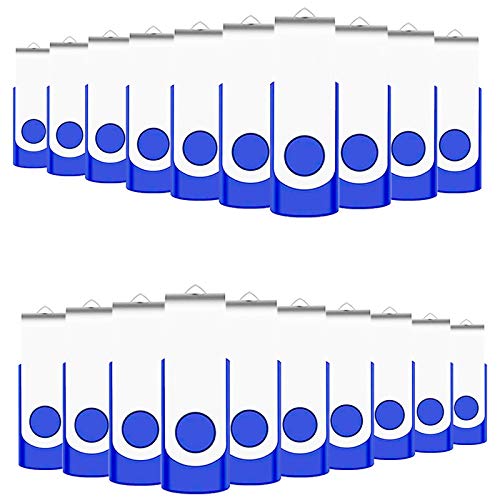
- 50 individual 1GB USB drives
- Includes 50 lanyards and swivel covers
- Works with Windows, Mac, and Linux
Best For: Bulk distribution of small school files
Best Standalone Option

- Copies one drive to two targets
- Works without a computer
- Includes erase and verification modes
Best For: School IT offices handling small USB batches
Best High-Volume Choice

- Duplicates up to 10 drives simultaneously
- Supports USB 3.0 and computer-based sources
- Works with Windows and Mac software
Best For: Campus or district IT teams creating larger batches
Best Professional 1:5 Option
StarTech USB Flash Drive Duplicator

- Copies to five USB drives without a computer
- Supports cloning, verification, and drive erasing
- LCD and LED status monitoring
Best For: School IT teams handling recurring USB deployment and sanitization
Best High-Capacity Classroom Pick
EZ Dupe 1:7 Mini USB Plus MK III

- Copies to up to seven USB drives
- Supports asynchronous replacement of finished drives
- Updated design lists 2.5 GB/min maximum speed
Best For: School IT departments preparing larger batches of USB media
Best Budget 1:2 Choice

- Duplicates one drive to two targets
- Includes copy, test, and erase functions
- Compact standalone operation with LCD controls
Best For: Small schools needing occasional two-drive duplication
Compact Classroom Copier – EZ Dupe Mini USB Plus MK II
For schools seeking practical usb duplicators for schools, the EZ Dupe Mini USB Plus MK II offers standalone copying without a computer. It can duplicate up to four USB drives simultaneously and supports USB 1.0, 2.0, and 3.0 flash media.
Best For: Classrooms and school IT teams that need a compact duplicator for small-to-medium USB distribution tasks.
Pros:
- Copies up to four USB drives at once.
- Standalone operation requires no computer.
- Updated version offers a listed maximum speed of 2.5GB per minute or 45MB per second.
- Can use a power bank or USB power source.
Cons:
- Copy speed depends on the read/write performance of the connected drives.
- External USB storage devices require their own power source.
- Its four-drive capacity may be limiting for larger deployment batches.
This is a portable, straightforward choice when a school values simple plug-and-use operation over high-volume duplication. Its compact size and four-port capacity suit routine classroom or departmental jobs.
High-Volume School Deployment – Vinpower 1-to-7 USB Duplicator
The Vinpower 1-to-7 is designed for schools that regularly distribute software, bootable drives, training materials, or other USB content. It works without a PC, supports Smart Copy and Raw Copy modes, and can be daisy-chained with compatible units for expanded capacity.
Best For: School IT departments managing frequent or larger-scale USB deployments and secure drive reuse.
Pros:
- Copies one master drive to up to seven target drives at once.
- Smart Copy, Raw Copy, and Read Error Skip provide flexible duplication options.
- Built-in DoD 5220.22-M erasing supports secure drive wiping.
- Can run from a wall outlet or compatible USB-C PD power bank.
Cons:
- Daisy-chain cable is not included.
- At 2.3 pounds, it is less lightweight than smaller duplicators.
- Expanded capacity requires another compatible unit.
With seven target ports and recovery-oriented features, this model is a strong fit for schools with recurring deployment and data-erasure needs. Its standalone design also reduces reliance on a shared computer during copying.
Bulk Student Media – EASTBULL 100-Pack 1GB USB Drives
Schools comparing usb duplicators for schools also need compatible media to distribute. This EASTBULL package includes 100 blue 1GB USB drives and 100 lanyards, providing a ready supply for assignments, events, presentations, or shared instructional files.
Best For: Schools distributing small files to large groups of students, staff, attendees, or clients.
Pros:
- Includes 100 USB drives and 100 lanyards.
- Plug-and-work design requires no additional software.
- Supports USB 2.0, 1.1, and 1.0 devices.
- Metal construction is intended for a commercial, durable feel.
Cons:
- Each drive has only 1GB of storage.
- USB 2.0 performance is listed at up to 15MB per second for reading and writing.
- This is blank media rather than a standalone duplicator.
This pack works well alongside a school USB duplicator when the goal is to prepare many identical, modest-sized drives. The 1GB capacity is best suited to documents, presentations, and other relatively small distributions.
Small IT Deployment Tool – Vinpower 1-to-3 USB Duplicator
The Vinpower 1-to-3 gives schools a compact standalone option for copying USB drives without connecting to a PC. It supports Smart Copy for accessible files, Raw Copy for bit-by-bit duplication, and secure erasing for drives being reused or retired.
Best For: Smaller school IT teams that need flexible copying, recovery, and erasure features in a compact unit.
Pros:
- Duplicates up to three target USB drives without a computer.
- Smart Copy and Raw Copy support different deployment needs.
- DoD 5220.22-M erasing helps remove sensitive data before reuse or disposal.
- Read Error Skip can bypass damaged sectors during recovery-oriented copying.
Cons:
- Three target ports provide less throughput than larger duplicators.
- The supplied notes do not specify a copy speed.
- It is intended for USB duplication and does not include USB drives.
This model is a sensible choice when portability and multifunction operation matter more than maximum batch size. Its copying, recovery, and erasure modes cover common school IT workflows in a small footprint.
Best Bulk Media – 50-Pack 1GB USB Flash Drives
For schools seeking affordable usb duplicators for schools workflows, the EASTBULL 50-pack provides ready-to-distribute USB storage for handouts, projects, media files, and other classroom materials. Each 1GB USB 2.0 drive has a swivel cover and includes a lanyard.
Best For: Schools distributing small files, digital handouts, or student project materials in bulk.
Pros:
- 50 drives with 1GB capacity each for classroom or department-wide distribution
- Compatible with Windows, Linux, Mac OS, and USB 2.0 or 1.1 ports
- Swivel design helps cover the USB connector, and 50 lanyards are included
- Plug-and-play design requires no driver installation
Cons:
- 1GB capacity is limited for large videos or extensive software bundles
- USB 2.0 speeds are more modest than newer USB standards
This is not a standalone duplicator, but it can be a practical low-cost media option when a school already has a separate copying solution or needs inexpensive drives for distribution.
Best Standalone Option – StarTech 1:2 USB Duplicator
The StarTech 1:2 is a standalone choice for schools that need to copy or erase USB drives without tying up a computer. It supports USB 3.0 and 2.0 media, offers multiple duplication modes, and includes a display for monitoring progress and drive status.
Best For: School IT staff who regularly create two USB copies at a time, sanitize drives, or verify cloned media.
Pros:
- Copies one USB drive to two targets without a computer
- Supports file-system and sector-by-sector duplication modes
- Includes quick erase and single- or three-pass overwrite options
- LCD, activity/error LEDs, and Copy & Compare help monitor and verify results
Cons:
- Limited to two target drives per duplication cycle
- Asynchronous copying is limited to source content under 64MB
- External USB storage devices may require their own power source
With its standalone operation and erase features, this model is a focused fit for school technology offices. Its 1-to-2 capacity is best for smaller batches rather than mass deployment.
Best High-Volume Choice – DupliM 1-to-10 USB Duplicator
For schools producing many identical USB drives, the DupliM Mini can duplicate up to 10 USB 3.0 or 2.0 drives simultaneously. It connects to a Windows or Mac computer and can copy from an image file, a flash drive, or selected files and folders.
Best For: District or campus IT teams preparing larger batches of boot drives, course materials, or standardized USB media.
Pros:
- Duplicates up to 10 USB drives at the same time
- Supports USB 3.0 for faster flash-drive duplication
- Can copy from image files, a source drive, or selected computer files and folders
- Includes software for Windows and Mac, plus a power adapter and USB 3.0 cable
Cons:
- Requires a connected Windows or Mac computer to operate
- Minimum system requirements include a 1.8GHz dual-core processor and 2GB RAM
- Its one-year parts-and-labor warranty is shorter than some longer-coverage options
This is the strongest match here for higher-volume school duplication because it handles up to 10 targets in one run. The computer-connected design offers flexibility, but staff must provide a compatible computer and install the DupliM software.
Best Professional 1:5 Option – StarTech USB Flash Drive Duplicator
For schools preparing several boot drives or distributing files to teams, this StarTech model is a practical choice among USB duplicators for schools. It works without a computer, supports up to five target drives, and includes copying, verification, and erasing tools.
Best For: School IT technicians managing multiple USB drives and needing erase or verification functions.
Pros:
- Copies to five USB drives simultaneously without a computer.
- Supports system/file copying and sector-by-sector duplication across common formats.
- Includes Quick Erase, one-pass and three-pass overwrite modes, plus Copy & Compare verification.
- LCD, LEDs, drive testing, and upgradeable firmware support routine administration.
Cons:
- Its 1:5 capacity may be more than smaller classrooms need.
- External USB storage devices may require their own power source.
- Asynchronous copying is limited to source content under 64 MB.
Choose this model when a school needs more than basic cloning. Its broader copy and sanitization options make it well suited to repeatable IT workflows, while the standalone design keeps setup simple.
Best High-Capacity Classroom Pick – EZ Dupe 1:7 Mini USB Plus MK III
Schools that need to prepare many student or staff drives at once may appreciate this updated EZ Dupe model. It is a standalone option among USB duplicators for schools, supporting up to seven USB flash drives simultaneously and offering asynchronous copying.
Best For: School technology departments that prioritize higher output and compact equipment.
Pros:
- Duplicates to up to seven USB flash drives at the same time.
- Listed copy speed reaches 2.5 GB/min or 45 MB/s, depending on the drives used.
- Supports USB 1.0, 2.0, and 3.0 flash drives, along with USB external storage.
- Asynchronous copying lets users replace finished drives without waiting for the full set.
Cons:
- Actual performance depends on the read and write speeds of the connected drives.
- External USB hard drives require their own power source.
- It offers a one-year manufacturer warranty.
This is a strong fit when throughput matters and staff regularly prepare several drives per batch. Its seven-port layout and asynchronous workflow can reduce interruptions during larger school deployments.
Best Budget 1:2 Choice – BestDuplicator UB300 USB 2.0
For smaller schools or occasional drive preparation, the BestDuplicator UB300 keeps the process straightforward. This compact standalone unit duplicates one source USB drive to two targets and adds basic testing and erasing tools without requiring Windows or Mac software.
Best For: Classrooms, small IT teams, and field deployments needing simple two-drive duplication.
Pros:
- Copies one USB flash drive to two targets simultaneously without a computer.
- Offers both data-only Quick Copy and bit-for-bit Whole Media Copy.
- Includes capacity checks, device information, speed tests, and erase functions.
- LCD navigation and individual port LEDs make progress easy to monitor.
Cons:
- Designed for USB 1.1 and USB 2.0 media rather than newer USB standards.
- Its two-target capacity is less suitable for large deployment batches.
- Memory-card duplication requires a compatible USB card reader sold separately.
The UB300 is a sensible entry-level choice for schools that duplicate only a few drives at a time. It provides useful verification and maintenance functions in a lightweight standalone format, but larger rollouts may benefit from a higher-port model.
How We Picked the Best USB Duplicators for Schools
We focused on equipment and media that address common school deployment needs: creating multiple identical USB drives, minimizing computer dependence, and keeping copying straightforward for teachers, technicians, and administrators. The selection includes standalone duplicators with different output counts, compact models for occasional use, and bulk FAT32 flash-drive packs that can complement a duplicator.
Important differences include the number of target ports, supported USB capacities and formats, copy speed, LCD or menu controls, data verification, and whether the unit can erase or format drives. A low-output duplicator may be more practical for a small department, while a 1-to-7 or 1-to-10 model can reduce turnaround time for district-wide or lab deployments.
Quick Comparison
| Best for | Look for | Why it matters |
|---|---|---|
| Small classrooms | 1:2 or 1:3 output | Keeps cost and footprint low for occasional copying. |
| School IT departments | 1:5, 1:7, or 1:10 output | Produces more copies per batch and reduces staff time. |
| Portable use | Compact standalone design | Works without dedicating a computer or workstation. |
| Standardized deployments | Matching bulk flash drives | Simplifies purchasing and helps maintain consistent capacity. |
Key Buying Factors for USB Duplicators for Schools
Output Capacity and Workflow
Choose the number of target ports based on batch size rather than maximum theoretical capacity. A two-port unit may be sufficient for a teacher or small office, while a higher-output model is better for preparing drives for computer labs, testing sessions, or multiple campuses.
Source and Target Compatibility
Confirm that the duplicator supports the USB drive capacities, file systems, and device types your school uses. FAT32 is widely compatible, but newer operating systems or larger instructional files may require another format. Also check whether source and target drives must be the same size or can differ.
Speed, Verification, and Controls
Published transfer speeds are useful for comparisons, but real results depend on the source drive, target drives, file size, and data mix. Verification features are valuable when distributing bootable media or important school resources. LCD controls and standalone operation can make routine jobs easier for nontechnical staff.
Reliability, Support, and Security
For frequent use, prioritize sturdy construction, clear status indicators, warranty coverage, and accessible documentation. Schools should also establish a process for handling sensitive files: use clean master media, limit access to source drives, and erase or reformat reusable targets when appropriate.
Who Should Buy Which USB Duplicators for Schools?
Small classrooms and occasional users: Choose a compact 1:2 or 1:3 standalone duplicator. It offers a manageable price and footprint without requiring a computer for every copy job.
IT departments and media labs: A 1:5, 1:7, or 1:10 duplicator is generally the better fit when staff regularly prepare many identical drives. More ports can deliver better productivity even if the unit costs more initially.
Schools standardizing new drives: Pair a suitable duplicator with a bulk pack of matching flash drives. Before ordering, verify usable capacity, formatting requirements, and whether the drives are appropriate for bootable or write-intensive tasks.